
185 lines
7.8 KiB
Markdown
185 lines
7.8 KiB
Markdown
sbpl_lattice_planner
|
|
====================
|
|
|
|
The `sbpl_lattice_planner` is a global planner plugin for
|
|
[move_base](https://wiki.ros.org/move_base) and wraps the
|
|
[SBPL search-based planning library](https://wiki.ros.org/sbpl).
|
|
|
|
Paths are generated by combining a series of "motion primitives" which are
|
|
short, kinematically feasible motions. Planning is therefore done in x, y, and
|
|
theta dimensions, resulting in smooth paths that take robot orientation into
|
|
account, which is especially important if the robot is not assumed to be
|
|
circular or has nonholonomic constraints (e.g., the robot cannot move
|
|
sideways). Plans can be found using the `ARA*` planner or `AD*` planner from the
|
|
SBPL library.
|
|
|
|
## Video
|
|
|
|
[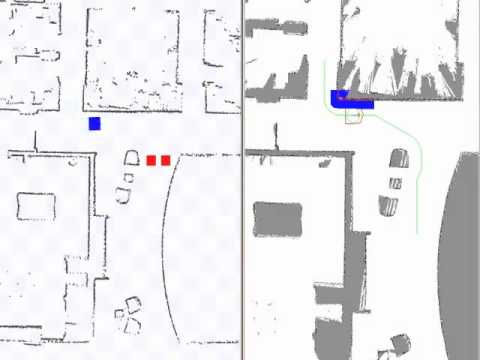](https://www.youtube.com/watch?v=WeXdCmEpRW0)
|
|
|
|
## How to use
|
|
|
|
This global planner can be used with `move_base` simply by setting the
|
|
`base_global_planner` parameter to `SBPLLatticePlanner`. Additionally, at the
|
|
very least the path to a motion primitive file must be specified shown below in
|
|
the list of parameters.
|
|
|
|
### Example in Stage
|
|
|
|
The package contains a launch file for testing the `sbpl_lattice_planner` as
|
|
the global planner for `move_base` using stage for 2D simulation:
|
|
|
|
```bash
|
|
roslaunch sbpl_lattice_planner move_base_sbpl_fake_localization_2.5cm.launch
|
|
```
|
|
|
|
## ROS API
|
|
|
|
### Published Topics
|
|
|
|
`~/SBPLLatticePlanner/plan` ([nav\_msgs/Path](http://docs.ros.org/api/nav_msgs/html/msg/Path.html))
|
|
|
|
- The last plan computed by SBPL, published every time the planner computes a
|
|
new path, and used primarily for visualization purposes.
|
|
|
|
`~/SBPLLatticePlanner/sbpl_lattice_planner_stats` ([sbpl\_lattice\_planner/SBPLLatticePlannerStats](http://docs.ros.org/api/sbpl_lattice_planner/html/msg/SBPLLatticePlannerStats.html))
|
|
|
|
- Statistics from the last planning request. Stats include: time taken to get
|
|
to the first and final solutions, number of state expansions taken to get the
|
|
first and final solutions, the epsilon (bound on the sub-optimality of the
|
|
solution) of the first and final solutions, and the size of the final
|
|
solution.
|
|
|
|
`~/SBPLLatticePlanner/footprint_markers` ([visualization\_msgs/Marker](http://docs.ros.org/api/visualization_msgs/html/msg/Marker.html))
|
|
|
|
- The footprint markers along the planned path (for visualization in RViz).
|
|
|
|
### Subscribed Topics
|
|
|
|
None
|
|
|
|
### Services
|
|
|
|
None
|
|
|
|
### Parameters
|
|
|
|
`~/SBPLLatticePlanner/planner_type` (`string`, default: "ARAPlanner")
|
|
|
|
- Specifies which planner to use. It can either be "ARAPlanner" for `ARA*` or
|
|
"ADPlanner" for `AD*`.
|
|
|
|
`~/SBPLLatticePlanner/allocated_time` (`double`, default: 10.0)
|
|
|
|
- The amount of time given to the planner to find a solution. If there is still
|
|
time remaining after the planner finds its sub-optimal initial solution
|
|
(specified by "initial_epsilon"), the planner will use up remaining time
|
|
improving the solution until it is optimal or until time runs out (whichever
|
|
comes first).
|
|
|
|
`~/SBPLLatticePlanner/initial_epsilon` (`double`, default: 3.0)
|
|
|
|
- The value the heuristic is scaled by for the first search. This value must
|
|
be greater or equal to 1. The larger this value is, the faster the search
|
|
tends to find a solution (likely sub-optimal if epsilon is larger than 1).
|
|
After the first search, the planner will continue to reduce the epsilon value
|
|
until it is 1 (optimal search).
|
|
|
|
`~/SBPLLatticePlanner/environment_type` (`string`, default: "XYThetaLattice"))
|
|
|
|
- The type of environment being searched. Currently, XYThetaLattice is the only
|
|
supported environment.
|
|
|
|
`~/SBPLLatticePlanner/forward_search` (`bool`, default: false)
|
|
|
|
- The direction the search is done in. If you are using `AD*`, you should use
|
|
backward search for fast replanning times. For `ARA*` it doesn't matter too
|
|
much which direction you use.
|
|
|
|
`~/SBPLLatticePlanner/primitive_filename` (`string`, default: "")
|
|
|
|
- The path to a motion primitive file. This MUST be specified by the user for
|
|
the planner to work. There is an example motion primitive file that can be
|
|
used in `matlab/mprim/pr2.mprim` in the SBPL package. If you want to generate
|
|
your own motion primitive file to match the kinematics of your robot or your
|
|
map resolution, there is are several `genmprim*.m` scripts in `matlab/mprim/`
|
|
in the SBPL package to help you.
|
|
|
|
`~/SBPLLatticePlanner/force_scratch_limit` (`int`, default: 500)
|
|
|
|
- The parameter only matters if you are using `AD*`. If at least this many map
|
|
cells have changed since the last plan was generated, the planner will not
|
|
reuse previous search information and instead plan from scratch.
|
|
|
|
`~/SBPLLatticePlanner/nominalvel_mpersecs` (`double`, default: 0.4)
|
|
|
|
- The linear velocity of the robot in meters/sec.
|
|
|
|
`~/SBPLLatticePlanner/timetoturn45degsinplace_secs` (`double`, 0.6)
|
|
|
|
- The time it takes the robot to turn 45 degrees in place in seconds.
|
|
|
|
`~/SBPLLatticePlanner/lethal_obstacle` (`unsigned char`, default: 20)
|
|
|
|
- The cost of an obstacle in the planner's version of the costmap. All other
|
|
values in the costmap are scaled accordingly. The obstacle cost is the
|
|
largest in the costmap_2d so by setting this parameter to something below its
|
|
obstacle thresh, we can get obstacle padding that is less harsh and more
|
|
reasonable. This will make the planner more likely to choose to go through
|
|
more narrow areas such as doorways.
|
|
|
|
`~/SBPLLatticePlanner/publish_footprint_path` (`bool`, default: true)
|
|
|
|
- Whether or not to publish the `footprint_markers` topic.
|
|
|
|
`~/SBPLLatticePlanner/visualizer_skip_poses` (`int`, default: 5)
|
|
|
|
- Only publish every nth pose on the `footprint_markers` topic.
|
|
|
|
`~/SBPLLatticePlanner/allow_unknown` (`bool`, default: true)
|
|
|
|
- Whether or not to allow planning through unknown space.
|
|
|
|
|
|
## Customizing your Motion Primitives
|
|
|
|
Please refer to the [SBPL documentation](https://wiki.ros.org/sbpl) for
|
|
pre-made motion primitives for the PR2 (and other robots) as well as
|
|
instructions on how to generate your own custom motions.
|
|
|
|
|
|
## Choosing good costmap_2d parameters
|
|
|
|
If the costmap_2d parameters are set incorrectly, sbpl_lattice_planner will
|
|
ignore the robot's footprint and incorrectly plan paths that lead into
|
|
obstacles. For this reason, the following two parameters of the global
|
|
costmap_2d have to be fine-tuned to your robot's footprint:
|
|
|
|
* **inflation_radius:** Maximum distance from an obstacle at which costs are
|
|
incurred for planning paths. Must be greater or equal to the robot's
|
|
circumscribed radius.
|
|
* **cost_scaling_factor:** Exponential rate at which the obstacle cost drops
|
|
off (default: 10). Must be chosen so that the cost value is greater than 0 at
|
|
the robot's circumscribed radius.
|
|
|
|
The most important of these two parameters is inflation_radius. If this
|
|
parameter is less than the robot's circumscribed radius, SBPL will skip the
|
|
detailed footprint check and plan into obstacles. If cost_scaling_factor is too
|
|
large for the robot footprint (i.e., the inflation around the obstacles is too
|
|
small), SBPL will always perform a detailed footprint check, even for poses
|
|
that are far away from obstacles. This will incur a performance penalty, but no
|
|
infeasible paths.
|
|
|
|
The best way to fine-tune these parameters is by using `rqt_reconfigure` and
|
|
observing the resulting costmap with inflated obstacles in RViz. First you
|
|
should set inflation_radius to something bigger than the circumscribed radius.
|
|
This parameter is a cutoff, so if the costmap value has not yet reached 0 at
|
|
this distance, it is clamped to 0. This parameter isn't that important as long
|
|
as it is greater than the robot's circumscribed radius. The parameter
|
|
cost_scaling_factor is an exponential dropoff, so lowering it increases the
|
|
inflation radius. Lower it until the inflation radius is at least the robot's
|
|
circumscribed radius. Once you have found good parameters, put them into your
|
|
move_base launch file. Also see: https://wiki.ros.org/costmap_2d#Inflation .
|
|
|
|
For more details, see [issue #33](https://github.com/ros-planning/navigation_experimental/issues/33).
|